
The coaching software buyer’s guide
How to choose the best coaching app or software for your practice.
The best coaching app or software fits the service you deliver and the way your clients report progress. For health, fitness and nutrition coaches, evaluate the coach workspace and client app together, then check permissions, exports and the cost of your expected roster.
By the LaunchSite OS team · Reviewed September 6, 2026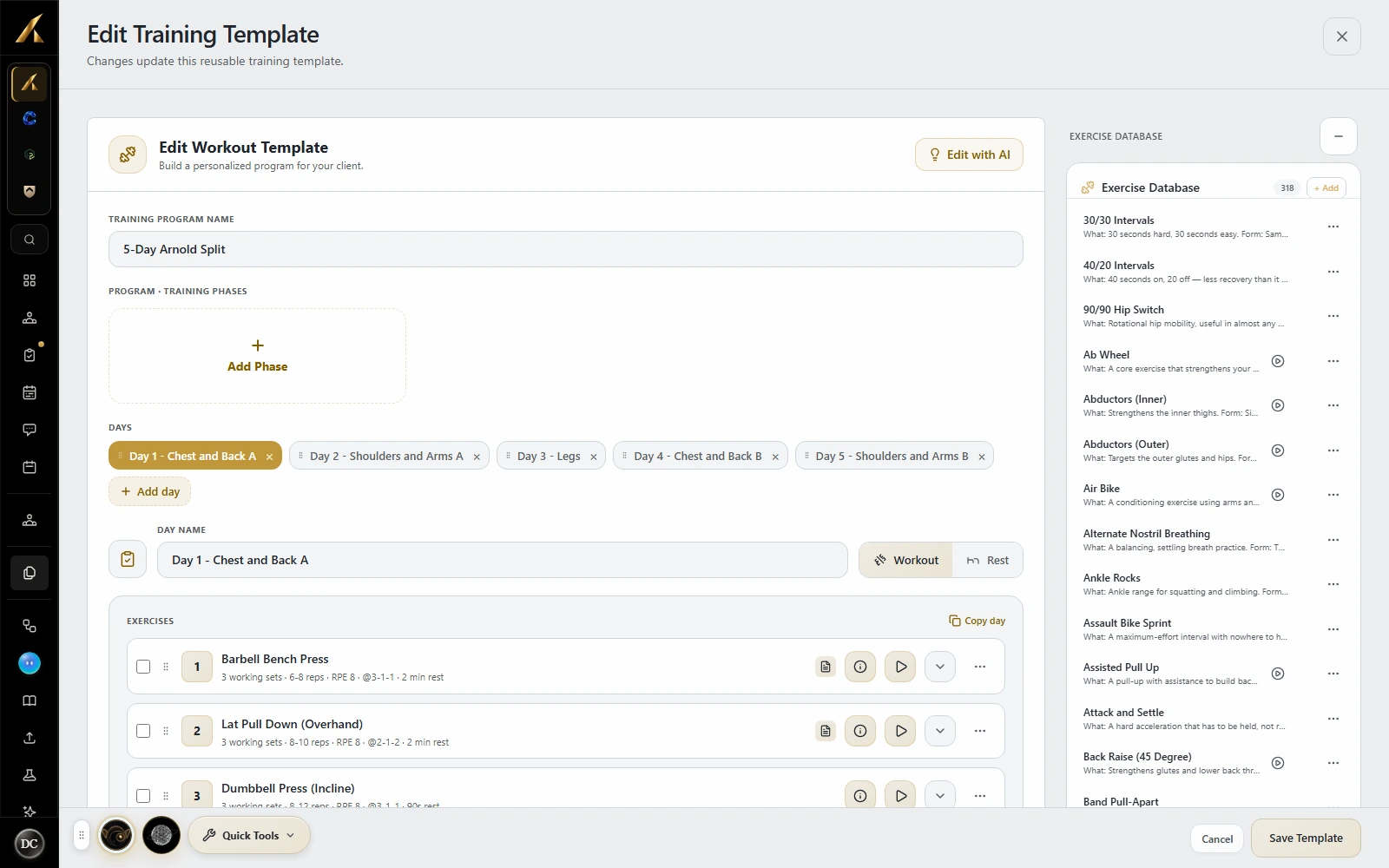
Start with the job you need the software to do
Write down what you deliver in an ordinary coaching week: appointments, workouts, nutrition targets, check-ins, feedback or a combination. Then identify what you need to see before making the next decision. A long feature list is useful only when those features support that work.
Published by LaunchSite OS, the company behind the software pictured here. We use our documented product workflows and existing product screenshots to illustrate the checks. Run the same evaluation in each platform you shortlist; features, screens and pricing can change.
Define the category
Is a coaching app the same as coaching software?
The terms overlap, but they can describe three different purchases. Clarify which one you need before comparing prices.
- A client coaching app
- The client’s daily experience: seeing assignments, recording progress and contacting their coach. Evaluate it from a client account, not just the coach’s preview.
- Software for a coaching business
- The coach’s workspace for managing clients, preparing plans, reviewing reports and running operations. A client app may be part of that subscription.
- A service that supplies a coach
- You are buying coaching itself, with an app supporting that relationship. Compare the service, coach access and scope of support as well as the technology.
LaunchSite OS is software for coaches and their clients. If you are a client, your coach provides your account and assignments. The client experience guide explains that side of the product.
A repeatable evaluation
Test one complete coaching workflow.
Use a sample client and a small program you can repeat in each product. For every step, record what worked, what required help and what depended on a paid plan.
Onboard a sample client
Try this. Use an email address you control. Send the welcome invitation, complete intake, choose measurement units and sign in as the client. Include one optional unanswered question.
Confirm. The intake reaches the correct client record, an unanswered field stays empty, and the client can find their first task. Check the steps on the devices your clients actually use.
Assign a week of coaching
Try this. Build one training day, a meal plan and a habit or instruction. Assign them to your sample client, then change a prescription and check the client view again.
Confirm. The intended assignment and date are clear. Establish whether editing a reusable template updates an existing assignment or only future copies, and how multiple active plans are shown.
Log what actually happened
Try this. Record a workout, a meal and a check-in from a phone. Reopen the saved entries, make a correction and inspect the history from the coach workspace.
Confirm. Completed work is distinguishable from planned work. Dates, units and corrections remain understandable across views. Check the logging detail your service needs, such as actual sets, reps or food portions.
Review and make the next decision
Try this. Open the submitted check-in, compare it with earlier information and write a response. If you use an AI summary, compare its statements with the underlying entries.
Confirm. You can trace a conclusion back to client information and distinguish missing data from a low result. Confirm how a review, a plan change and an AI-assisted action become visible to the client.
Complete a conversation
Try this. Send a test message and attachment, reply as the client and check notification settings. If scheduled messages matter, schedule one and change or cancel it before it sends.
Confirm. Both sides can find the conversation and its context. Review notification behavior and delivery status. Establish which automations act when enabled and which have a separate approval step.
Check permissions with each role
Try this. If you run a team, compare the owner, an admin and an ordinary coach. Inspect client records, messages, photos, templates and money screens separately.
Confirm. Reading, editing, exporting and sending are distinct permissions where your practice needs them. Verify what a teammate can do in another coach’s workspace instead of assuming every team role behaves alike.
Open an export before you need it
Try this. Download an available client-data export and an assigned-plan PDF. Inspect the file outside the platform and ask how you retrieve records when a subscription ends.
Confirm. Record the included fields, dates, units and file formats. Check whether attachments, messages and historical changes are included. One export button does not establish that every kind of data is portable.
Price the practice you expect to run
Try this. Compare monthly and annual billing at your current roster and your next growth milestone. Include archived clients, team seats, branding, AI options and payment processing in your questions.
Confirm. Write down the base subscription, recurring add-ons, one-time fees and usage charges separately. Confirm what happens when you exceed a limit, downgrade or cancel. Compare the same configuration across vendors.
Keep a simple evaluation note: Requirement → observed result → plan or add-on needed → unresolved question. A missed requirement that matters every day deserves more weight than a feature you rarely use.
Inside LaunchSite OS
Look at the handoff between coach and client.
These product screens illustrate authoring, daily delivery and reporting. Follow the linked feature guides for the current behavior and available controls.
Build the plan with enough detail to use it
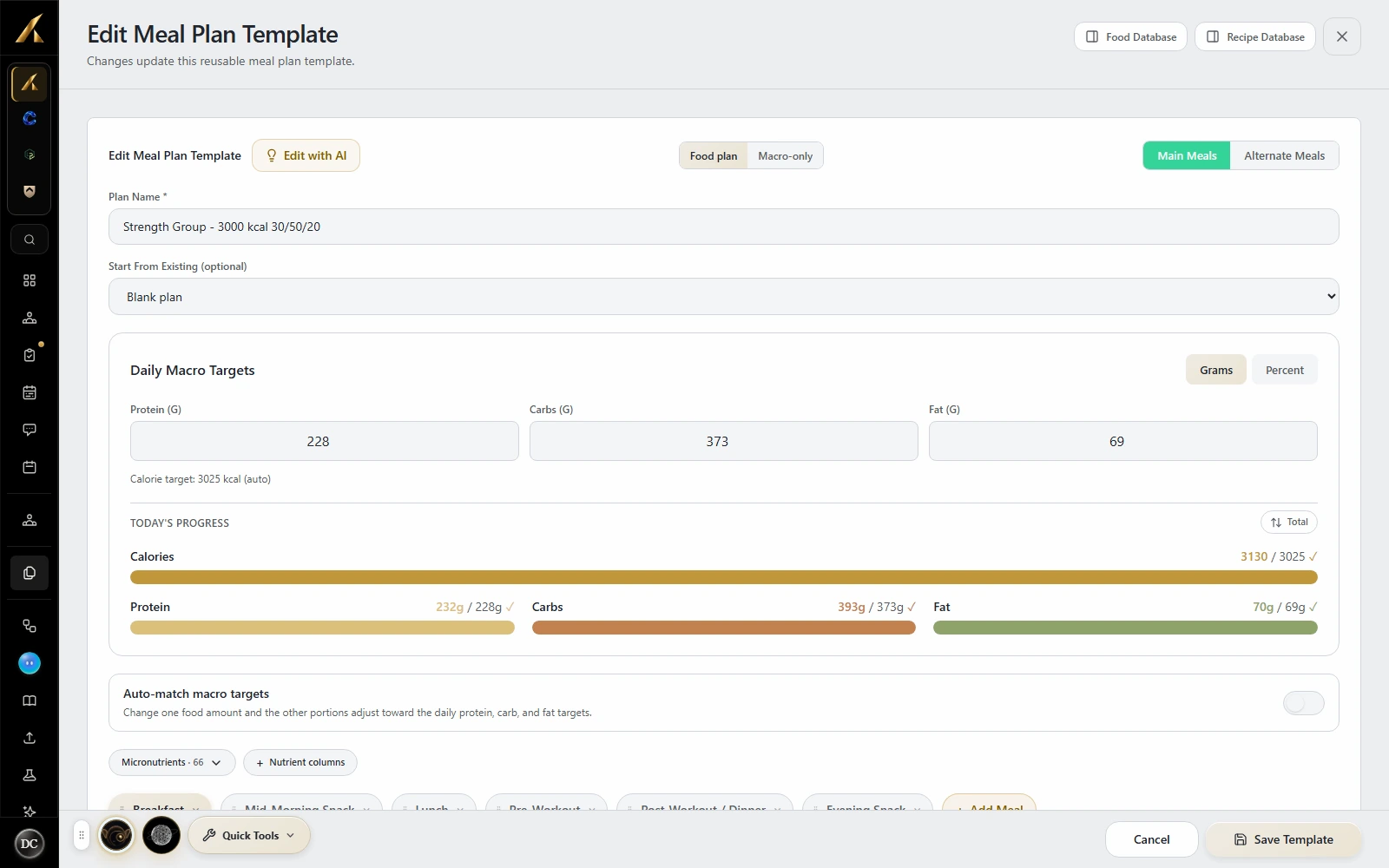
Coaches can build reusable training programs and nutrition plans, then assign them to clients. In your evaluation, inspect both the editor and the assigned result: exercise cues, food portions and daily targets should remain clear after the handoff.
Explore workout programming and meal planning.

Close the loop with a review
LaunchSite OS supports client reports, coach review and ongoing conversations. A useful test ends when you can understand the submission, respond to it and make the next assignment clear to the client.
Learn about check-ins and client review, client messaging and configured automations.
Treat an AI draft as something to inspect. Verify the source information, permitted actions and usage allowance before relying on it in your workflow. The AI workspace guide explains the available assistant surfaces.
Decide what matters
When is LaunchSite OS a good fit?
Consider LaunchSite OS if you run a health, fitness or nutrition coaching practice and need to connect assigned plans, client logs, check-in review and communication. Coaches combining these workflows can evaluate them within one platform. Team practices should also test the permissions for each role and confirm the plan includes the capabilities they need.
When another category may fit better
- If you mainly need appointment booking and session notes, evaluate whether a simpler practice tool covers your requirements.
- If you want to hire a personal coach or follow a standalone workout library, start with that service requirement. A coach’s business subscription is a different purchase.
- If you need diagnosis, prescribing or a clinical records system, evaluate software built for that scope. LaunchSite OS supports coaching and wellness.
- If unlimited clients and every feature at one fixed price are essential, check the limits carefully. LaunchSite OS has client bands, feature tiers and optional paid services.
For data portability, LaunchSite OS offers a permission-controlled client CSV export and client plan PDFs. They have different contents; inspect sample files against your own retention and migration requirements. For questions about access or product scope, contact support and review the company, security and privacy information.
Compare your shortlist
Price the workflow, then choose.
A price comparison needs a client count, billing interval and feature set. LaunchSite OS client limits count stored clients, including archived records. Its pricing also distinguishes plan features, AI allowances and optional services. Use the current pricing page for the configuration you intend to buy.
Our Everfit comparison and ABC Trainerize comparison link to dated vendor sources and explain the assumptions behind their figures. Use them alongside your trial notes, and confirm the vendor’s current quote before deciding. Different products can solve a similar task in different ways.
Keep your final shortlist tied to the requirements you tested. Choose the product whose client experience, review workflow, access controls and cost fit your practice, with unresolved questions answered before you move the roster.
Try the workflow
Start with one sample client.
Use the 14-day LaunchSite OS trial to test the full handoff. A card is required; review the plan and billing terms before starting.